How to check your OpenAI Codex usage limit
The problem
I was using Codex through OpenClaw and hit a rate limit. Since I wasn't using the Codex app directly, there was no obvious UI showing me my usage or when my limit would reset.
Option 1: The direct URL
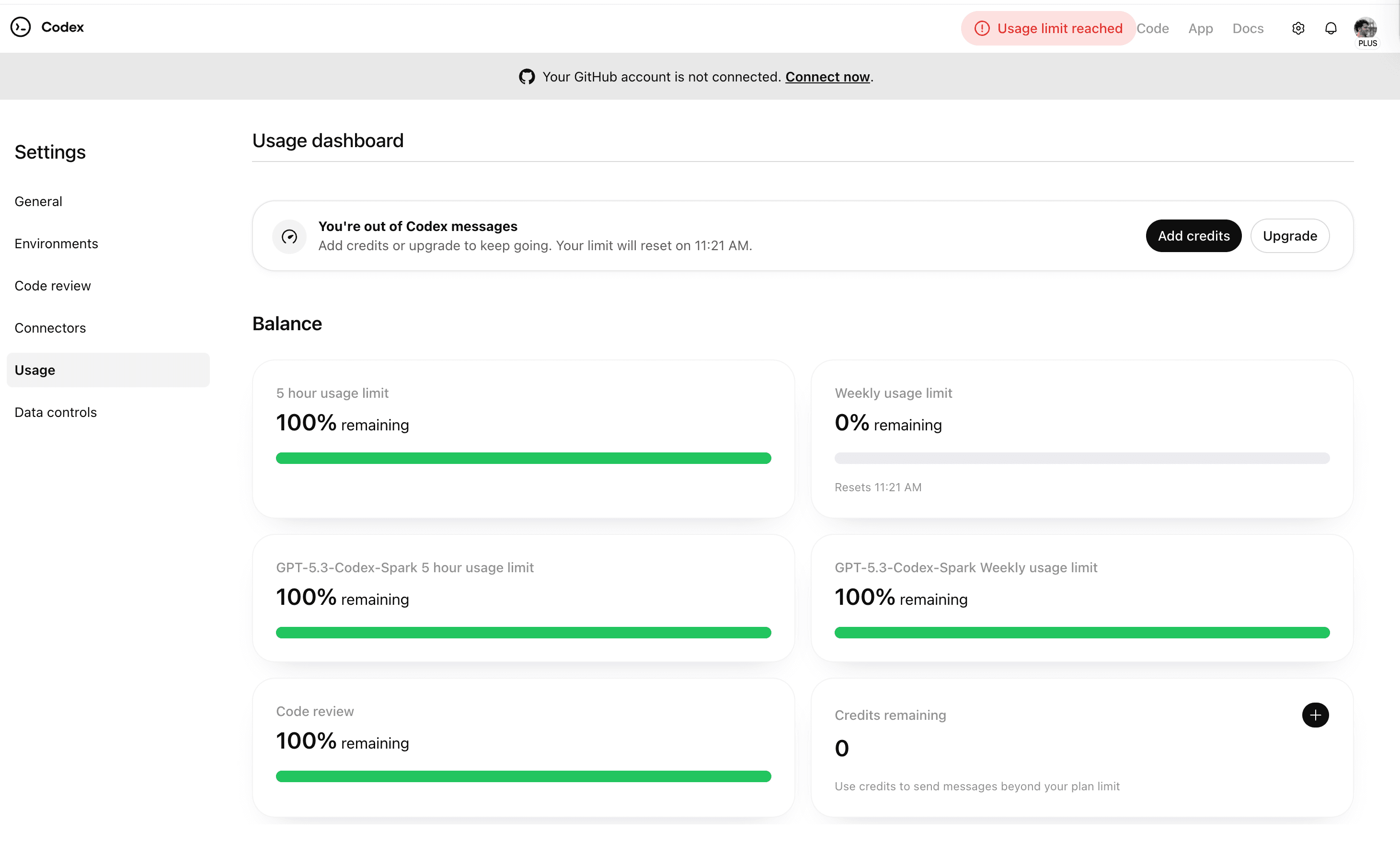
Go to chatgpt.com/codex/settings/usage
This shows you the full usage dashboard: your 5-hour limit, weekly limit, per-model breakdowns, code review allowance, and remaining credits.
Option 2: Download the Codex app
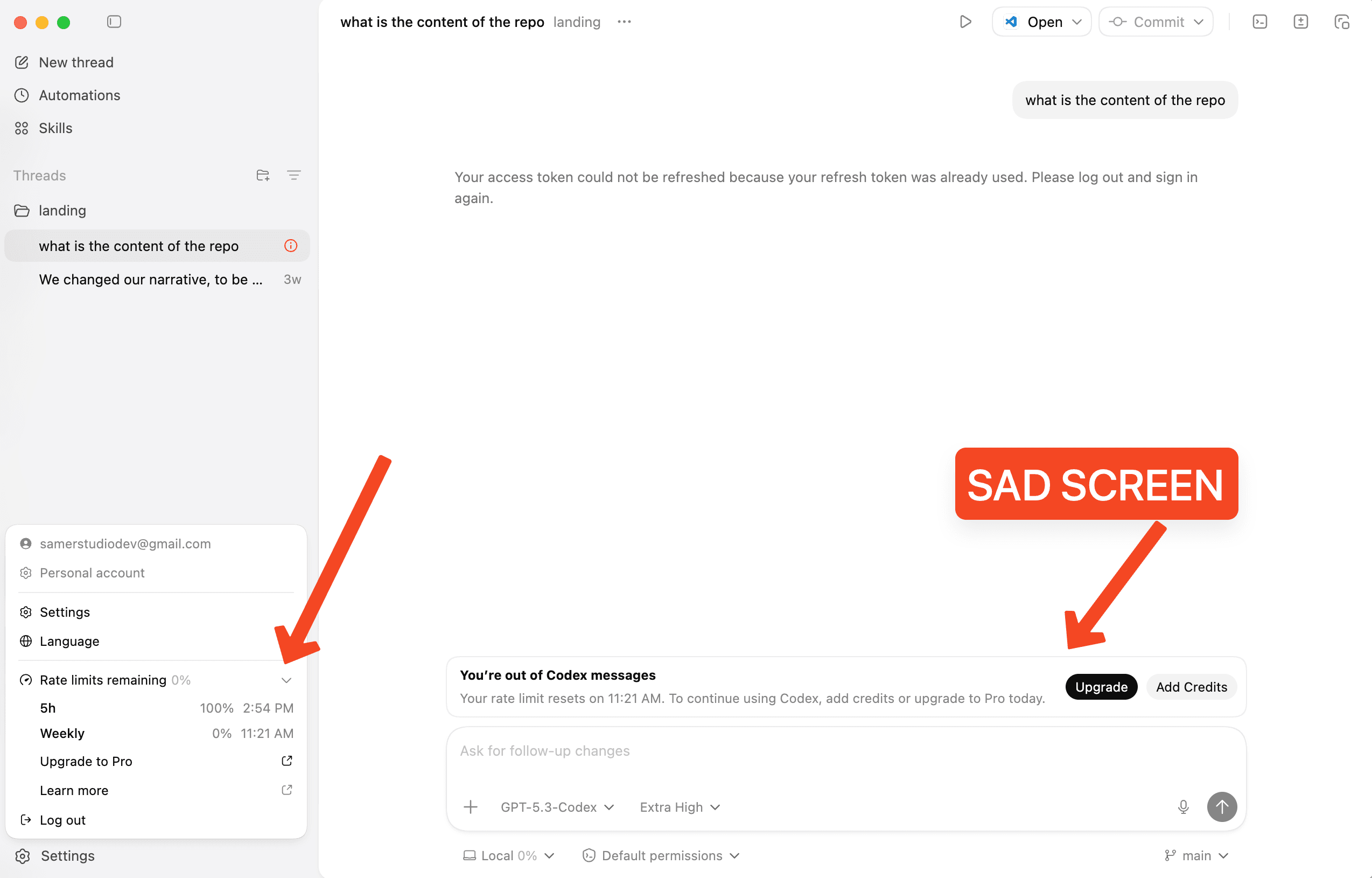
You can also download the Codex desktop app. Once you open it, click your profile icon in the bottom-left corner — you'll see Rate limits remaining with a breakdown of your 5h and weekly limits.
tl;dr
- 1.Visit chatgpt.com/codex/settings/usage
- 2.Or download the Codex app and check the sidebar under your profile